Periods and breaks
Set period timings, breaks and working days for the school.
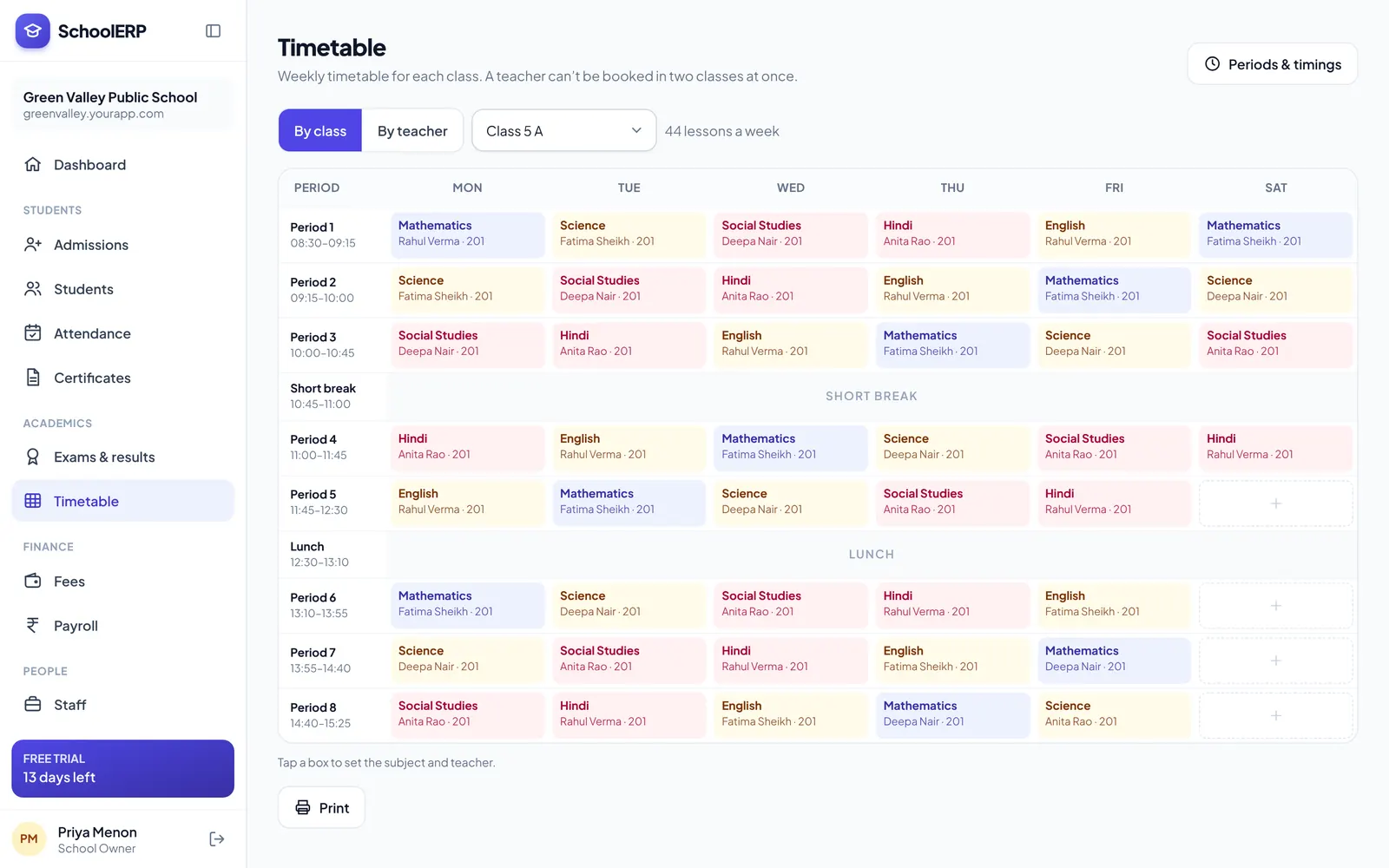
Define your periods once, then fill the grid for each class. The system warns you before a teacher is double-booked and builds every teacher’s personal timetable automatically.
Key features
Set period timings, breaks and working days for the school.
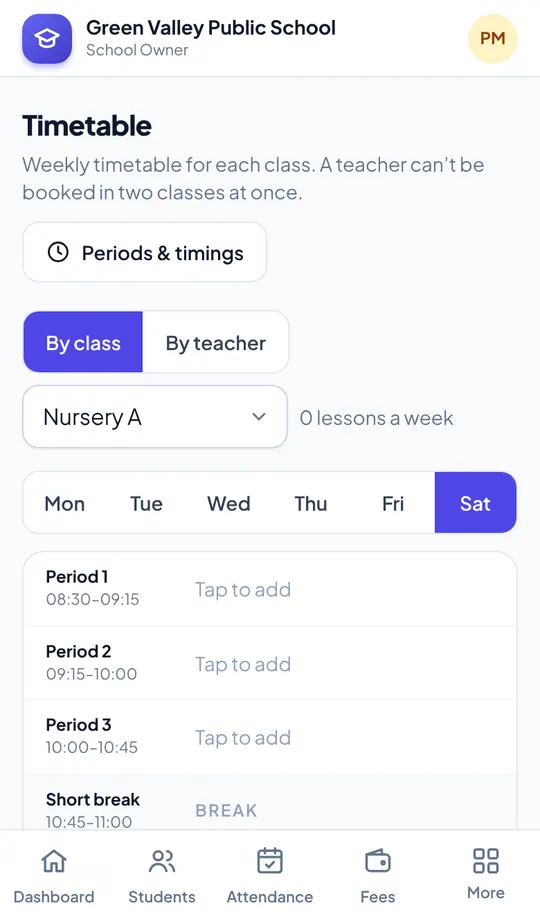
Pick subject and teacher for each period in a simple grid.
Warns before a teacher is assigned to two classes at once.
Every teacher’s week is built from the class timetables.
Teachers and students see today’s periods on their phone.
Attach live class links to periods when you teach online.
See it in action
Shown with a demo school. Your school sees its own name, data and colours.
Benefits
How it works
Define timings and working days.
Assign subjects and teachers per class.
Everyone sees their timetable instantly.
The portal is built mobile first, so staff can use timetable management from the classroom, the gate or home, on Android or iPhone.
FAQ
Yes. You get a warning when a teacher already has a class in that period.
Yes. Each teacher’s timetable is generated from the class timetables.
Yes, Timetable Management is part of every plan.
Create your school in about two minutes. No card needed for the free trial.