Exam schedules
Subjects, dates, maximum and pass marks for every class.
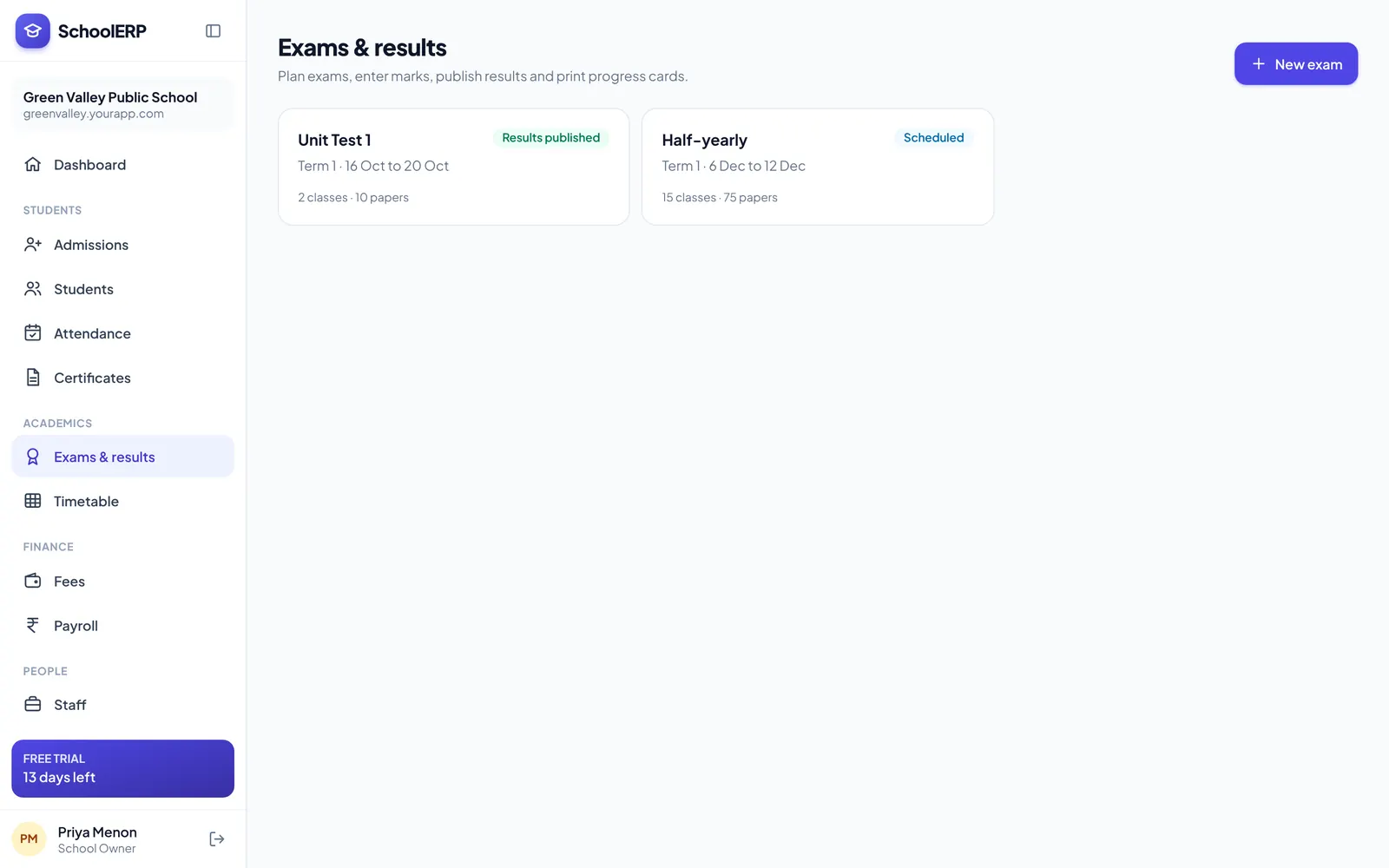
Create the exam, set subjects, dates and maximum marks, print admit cards, collect marks from teachers and publish results. Grades, totals, ranks and percentages are calculated for you.
Key features
Subjects, dates, maximum and pass marks for every class.
Print admit cards for a whole class with the schedule on each.
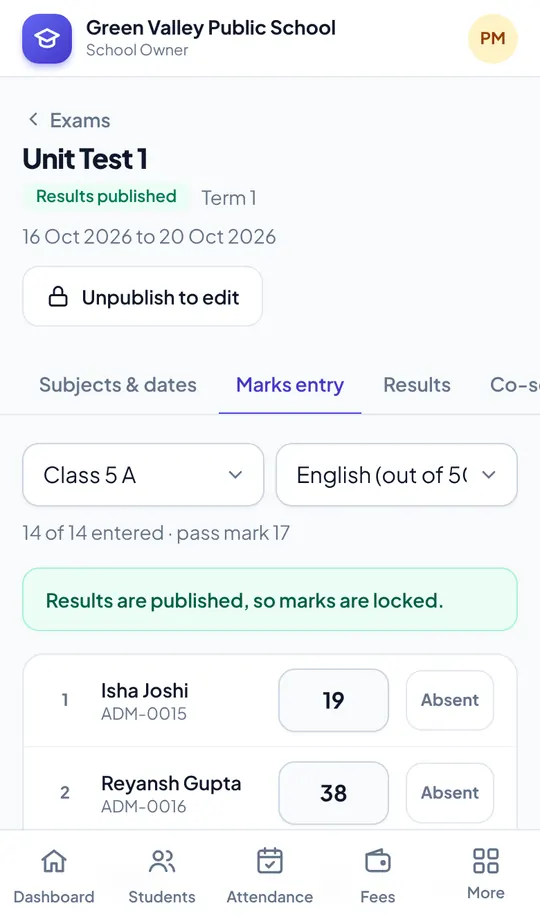
Teachers enter marks on their phone; absent students are flagged.
Use CBSE-style grades or your own bands.
Totals, percentages, ranks and subject toppers in one view.
Publishing locks marks so nothing changes after parents see them.
See it in action
Shown with a demo school. Your school sees its own name, data and colours.
Benefits
How it works
Create the exam with subjects and dates.
Teachers add marks for their subjects.
Results, ranks and progress cards are ready.
The portal is built mobile first, so staff can use examination management from the classroom, the gate or home, on Android or iPhone.
FAQ
Yes. Set grade bands that match your board or school policy.
Not without unpublishing first, which keeps results consistent and traceable.
Yes. Marks flow into the Holistic Progress Card along with attendance and co-scholastic grades.
Yes, Examination Management is part of every plan.
Create your school in about two minutes. No card needed for the free trial.